Content updates
Replace all mentions of “Acme Corp” with “Nebula Labs” across the entire site.
Copy and drop it straight into your own project.

A full-frame interactive wall where your images become real physical objects. They fall with gravity, collide, and stack up naturally.

A transparent overlay that spawns image stickers along your cursor as you move, then fades them out behind you.

An infinite, draggable image grid built as a native Framer Code Component. Drag in any direction and the grid repeats seamlessly forever, with no empty edges.

A 3D field of images you fall through endlessly. As you scroll, the camera travels forward, cards rush past and grow while new ones fade in from the distance.
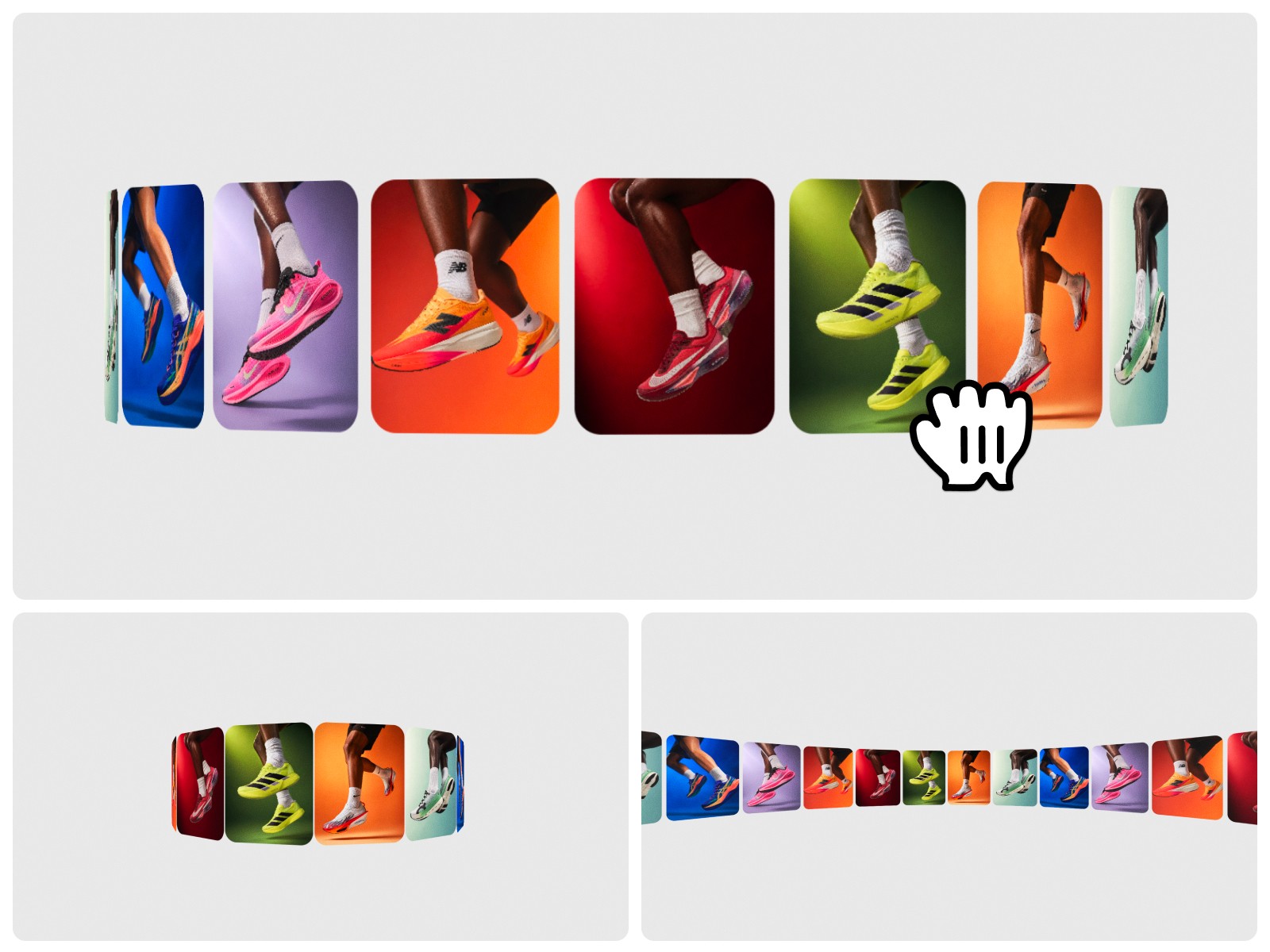
A premium, auto-rotating image carousel arranged along a 3D curve. Cards flow horizontally, loop seamlessly, and drift on their own by default.

A cinematic landing page for a deep-time field institute — film hero, station atlas, living archive.

A cinematic launch page for performance eyewear: two scroll-scrubbed films, a lens system that reacts to light, and a field archive.

A cinematic landing page for a fictional observatory: a looping portal film with a cursor light, and a sticky portal that turns and widens as you scroll through three crossing states.

A 3D character landing page: a glossy head that follows the cursor, drags with inertia and turns as you scroll, plus a seven-face character index.

A jewellery atelier storefront: a split hero that opens into a scroll-scrubbed film, a filterable edit with Quick Add, and a bag drawer.

A quiet landing page for a data studio where every stone exists twice — raw and alive: a cursor lens reveals the living stone, a switch floods it, and a scroll wipe brings it to life.

A fashion drop page where the model follows your cursor, then lifts off as you scroll: his outfit floats out around him and price tags pin to what he wears.

An AI platform landing where the hero film scrubs like a jog wheel under your cursor, a line of portal light scans a working day into a model, and a figure climbs the fidelity chart as you scroll.
OFFICIAL EXAMPLES FROM FRAMER
Explore 96 official examples organized by task. Choose a category, copy a prompt, and adapt it to your project.
All prompts
Update your existing site
Style your site
Build new sites from scratch
Migrate from another tool
Make your site responsive
Build custom components
Add SEO and gain analytics insights
Manage your CMS content
Fix and audit your site
Connect external agents to Framer
Replace all mentions of “Acme Corp” with “Nebula Labs” across the entire site.
Update the pricing page. Change the Pro plan from $29/mo to $39/mo and add a new Enterprise tier with custom pricing.
Find all text that says “2025” and update it to “2026” across the entire project.
Reorganize the features section from a list layout to a 2x3 grid of feature cards.
Reorganize the homepage flow based on conversion best practices. Move social proof higher, put pricing before the FAQ, and make sure every section leads naturally into the next with a clear CTA.
Redesign the homepage layout so the hero takes full viewport height, features stack in an alternating left-right pattern, and the CTA section spans full width with a background image.
Add a contact form section with name, email, and message fields, and a submit button that shows a success message.
Add an FAQ section at the bottom of the homepage with 6 questions and answers about our product.
Each collection is built around a distinct visual language, with reusable prompts, templates, and notes that help you customize fast.